
STEP 5
Customize and Build Out Your Website
Things to Know:
- If you haven't already done so, now would be a great time to develop that awesome website plan.
- The better the plan the better the end results, always.
- Build out the main pages first.
- Create SEO friendly titles for each page
- Gather all your proofread copy points and optimized images for each page.
- Optimize your text and images for both Desktop and Mobile and SEO.
Planning for a Successful Build
Pull out that site plan that you've been working tirelessly on. Optimize your images, spell check and grammer check your copy. The more you optimize now the less you'll have to do later.
Creating SEO friendly copy from the start would be ideal. However, if you use just the free version of Yoast SEO plugin it can greatly improve your search results. I recommend the premium version for it's educational and enhanced SEO capabilities.

Finding Images
If you are not an Illustrator or photographer and don't have a large budget for art and photography consider using an AI Image generators to help you. There are a lot of sites you can try for free with some pretty amazing results with the right prompting.
Or if you have a small budget consider using a reputable online service like Shutterstock Check the pricing and see what works for you. There are plenty of free image sites out there but just be sure the images you're using on your website are royalty free.
NOTE: Be sure to rename your images for what they. Do not use "image_00024.jpg" as an image name. Consider all images as a searchable items or a potential links to landing on your site. Using names that describe the image is important for good SEO practices.
NOTE: Be sure to rename your images for what they are. Do not use "image_00024.jpg" as an image name. All images are searchable but only if they have descriptive names. Using names that describe the image is important for good SEO practices and the Search Bots for indexing.
Optimizing Images
Optimize your images for faster load times. Use a photo editor like Photoshop to crop your images to the approximate shape and size that you want them to appear on the website. Ensure that your images share the RGB color space and a resolution of 72dpi. Doing this will save loading time, which increases performance which leads to higher rankings. Read more about image types below.
Optimizing Images for Mobile
Resize or remove images from mobile. For example a background image on the desktop version of your website may look great, but the file size for that image is far too large for mobile. Either create a new, resized image for the mobile version of your website or decide how important that image is to your message on mobile and leave it out alltogether. Google gives a bad ranking to mobile sites with large image files considering them unfriendly because the put a burden the end users mobile data plan. Not everyone has unlimited data usage plans. So the smaller the file sizes, the less data is needed to view your site on mobile.
Image Types
Export your images from Photoshop to the newly adopted .webp file format. I was impressed with its quality vs file size compared to a .jpg or .png. though both .jpg and .png are still great. However, the testing done with Google insights (Step 10) Google perfered the newly adopted .webp format.
Export vector graphics like logos as .svg files from Adobe Illlustrator or other vector art program. SVGs are great for keeping the graphic details like logos sharp and crisp. See samples below.
.JPG
Image size 406 X 284
13kb
.PNG
Image size 406 X 284
7kb
.WEBP
Image size 406 X 284
19kb
.SVG
Image size NA - Vector Image
3kb
Adding Videos
If you need to add video (.MPG4 preferred format) to the site use the Video Module from the Divi Theme. The most common ways to get video into a website are by downloading it directly into your media files (not recommended unless the video is very small in size and you have a fast server). Other ways are to upload the video to YouTube and copy the URL into the Video Module or add a Code Module instead and copy the Embed code from YouTube and paste it into the Code Module. It really depends on the size of the video and how much control you want over it. The Video Module offers design features that the Code Module does not.
Good Content = Good Ratings
Creating great content is the most important part of the process, good original content is what the search bots crave. Finding the right images and creating original copy can be a daunting task. Fortunatley, the Divi theme has a lot of beautiful pre-designed templates, with optimized images, that are easy to use and ready to go. Saving you a lot of time. Time that could be spent creating better SEO friendly copy.
Divi and AI
Everyday Artificial Intelligence is creeping into our everyday lives more and more. With that, The Divi theme now includes a DIVI AI agent to help you create web pages from scratch in minutes. Describe the page that you want to build and AI will create a complete page for you, ready to edit with copy, pics and icons. The privacy policy page for this site was created using the Divi AI. with very little instruction. It's amazing but comes at an additional cost. So unless you are aiming to be a webmaster and plan to build a lot of websites this might not be the best option.
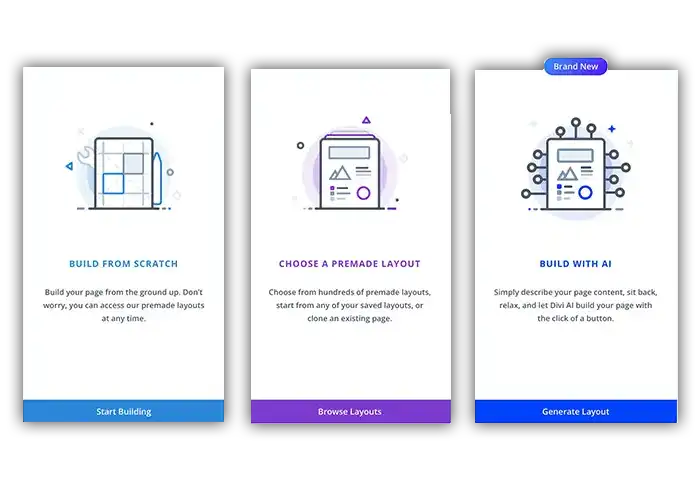
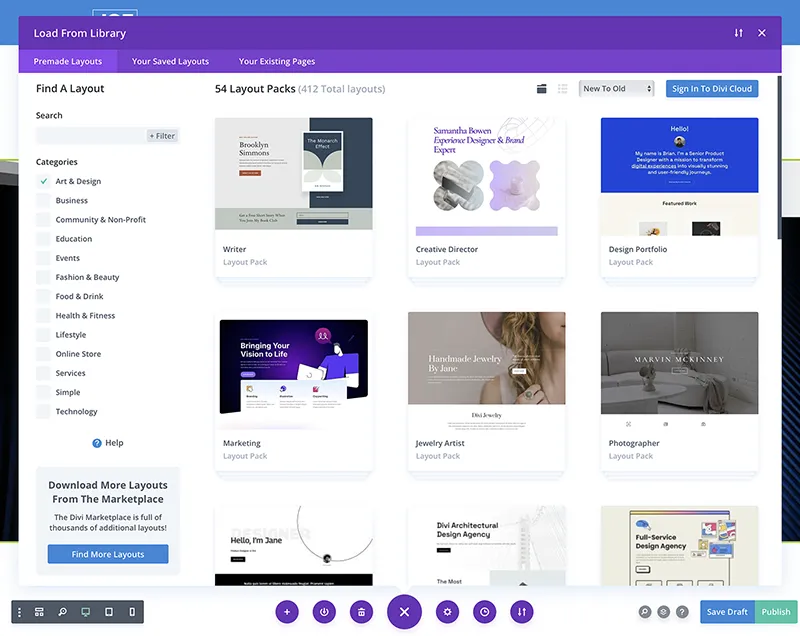
Three options to build in the Divi Theme, From scratch, from a premade layout or an existing page and AI.
Creating Essential Pages
Divi offers pre-made templates that include all the major pages ready to go. Simply pick a industry and then simply preview and activate the theme you like. Change any elements you want to make it unique to your business.
Building from scratch is alway an option. Take adantage of easy to use Divi interface and add Sections, rows, columns and modules throughout your website. Or simply start with a template and change it to fit your needs and brand.
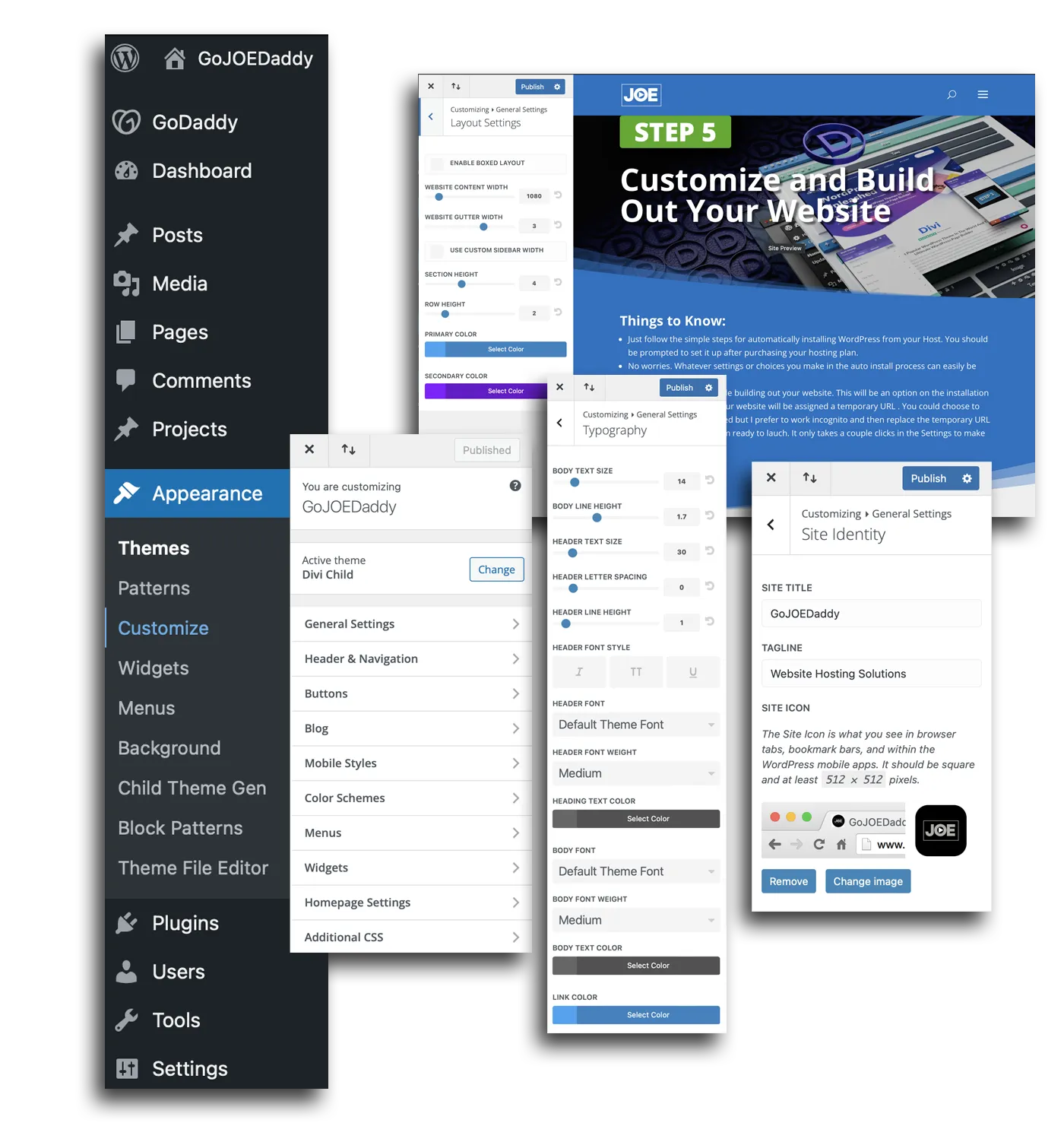
You can also set default attributes to apply site wide using the Customize option under the Appearance menu in WordPress. This feature allows you to change or set elements site wide like Title font, size and color. Elements including button styles and section and row perimeters, etc. this helps keep your site looking more cohesive from page to page.
Site Structure is Critical
Site structure is a critical aspect when building a website, as it directly impacts the user experience and search engine optimization (SEO). A well-organized site structure ensures that visitors can easily navigate through the website, find the information they need, and understand the logical flow of content. It also helps search engines crawl and index the site more efficiently, improving its visibility and ranking in search results. A clear hierarchy, with categories and subcategories, makes it easier for users to explore the site and discover related content. Additionally, a thoughtful site structure can enhance the website's overall aesthetic appeal and coherence, creating a seamless and intuitive experience for visitors. By carefully planning and implementing an effective site structure from the outset, website owners can significantly enhance their online presence, user engagement, and potential for success.
NOTE: Assigning Tags
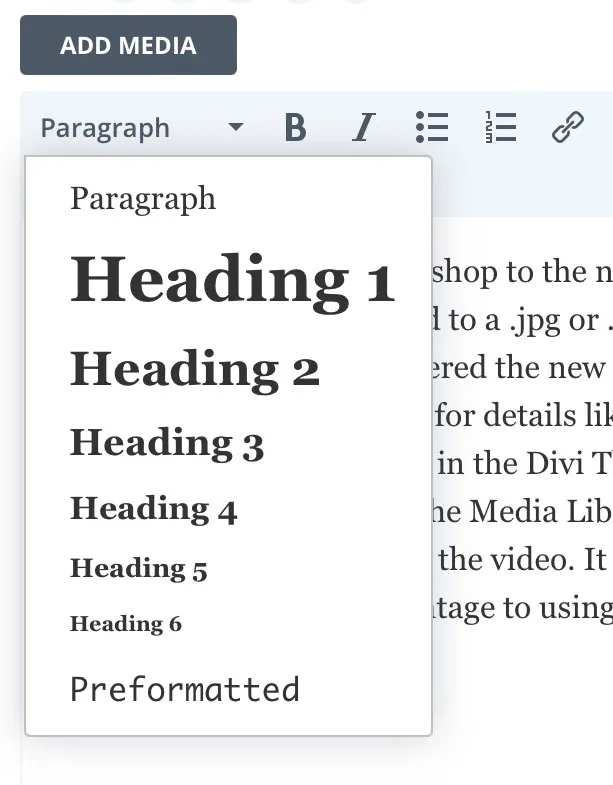
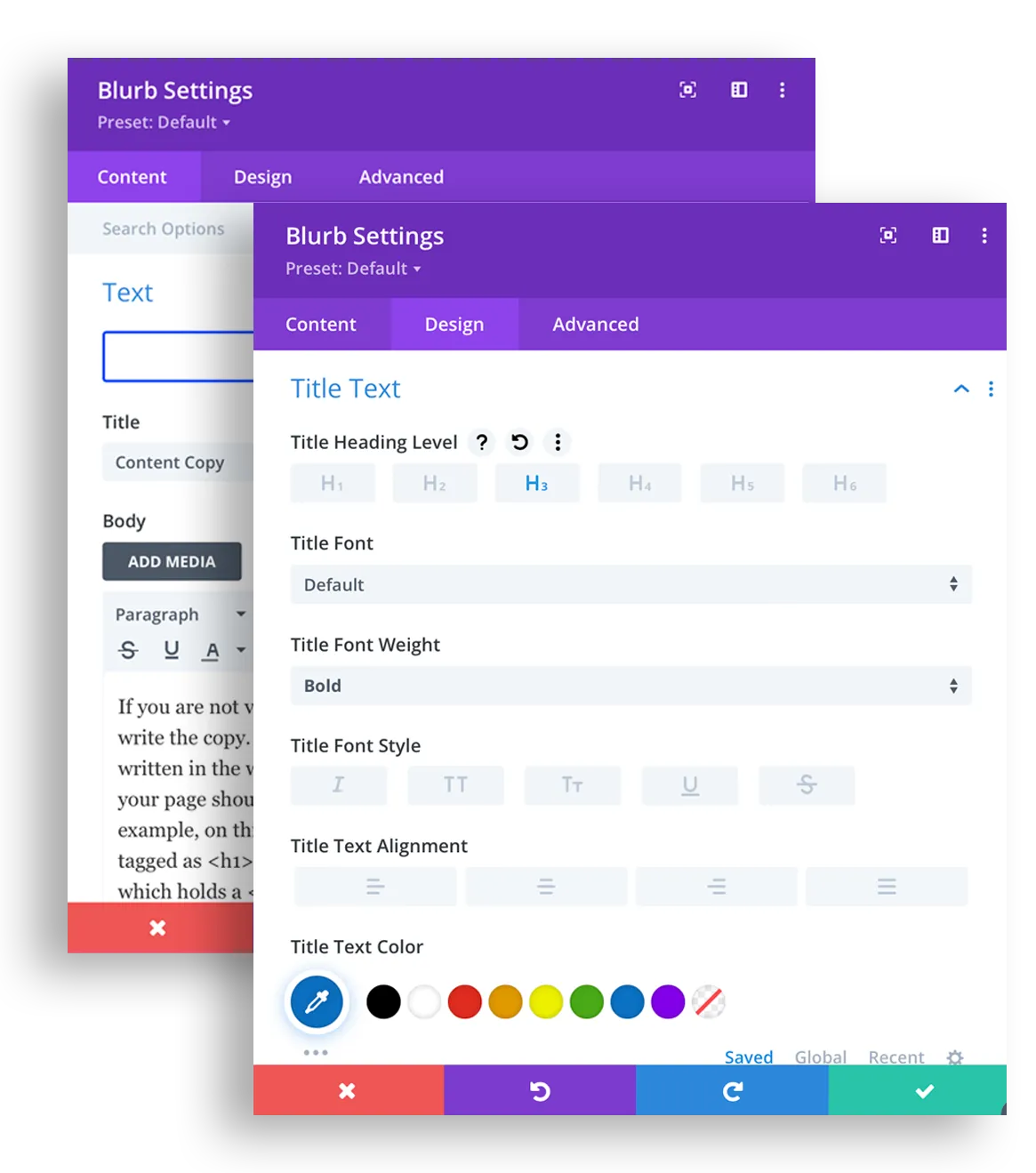
IMPORTANT: Only assign one <h1> tag to a heading per page. The healine should contain copy that best describes what that page is about. Always use Headline tags in descending order and do not skip over a tag size in the decent. For Example: Good Sturcture, <h1><h2><h3><h3><h3><h4>; Bad Structure, <h1><h3><h2><h2><h4><h2>
Divi Builder
The Divi theme helps ensure proper website structure through its intuitive visual builder and pre-designed layout options. The theme provides a comprehensive framework that automatically implements proper HTML hierarchy, responsive design elements, and semantic structure. With Divi's modular approach, users can create well-organized content sections with appropriate headings, navigation menus, and content blocks that search engines can easily interpret. The theme's built-in SEO features further enhance structural integrity by facilitating proper meta information, schema markup, and clean code that adheres to web standards. Even users without technical expertise can build websites with professional-grade structure thanks to Divi's guided design system and customizable templates.
Have Questions?
Please contact me directly.
Free Consulting is just a phone call away.
904-501-9526
Ask for JOE
STEP 6
Optimize for Search Engines